Features
POS software features for Ghana
Every feature that ships in Densu today, grouped the way you use them. Nothing here is coming soon.
At the till
Checkout and payments
Ring up a sale on your phone and take payment the way your customer wants to pay.
- Cash and mobile moneyEvery plan
- Take mobile money from any network at the till, or record cash. Customers who order online can also pay by card. Each sale is paid one way; for part payments, make it a credit sale and take payments against it.
- For Every shop, from day one.
- Credit sales and balances
- Sell now, collect later. Each credit sale sits against the customer, part payments bring the balance down, and one screen shows who owes you what.
- For Any business with regulars, or customers who pay in instalments.
- Discounts and promotions
- Knock something off at the till whenever you like. On Growth and up, set up promotions and standing rates for particular customers that apply on their own.
- For Anyone who runs a Friday special or has loyal clients.
- Void and correctionEvery plan
- Wrong item, wrong amount? Void the sale or correct it. The original stays in the record with the reason, so your books always add up.
- For Owners who want clean numbers without a blame game.
Know who walked in
Customers
Know who walked in, what they had last time, and what they still owe.
- Customer recordsEvery plan
- Name, phone, visit history and balance in one place. Search by name or number at the till and the sale attaches to the right person.
- For Every shop that wants repeat customers to feel remembered.
- SMS receipts
- Switch on SMS receipts and customers with a phone number get the sale by text. The printed or downloaded receipt carries a link to verify it is real.
- For Shops whose customers ask "did you send my receipt?"
- Branded receiptsStarter and up
- Your logo, your address, your phone number on every printed or downloaded receipt. The verify link shows the same details, so a customer can check a receipt is real.
- For Businesses that want to look established.
- Customer feedbackStarter and up
- Customers who order online get a link to rate you and leave a comment. You see it in the app first. With their consent, the good ones can appear on your shop page.
- For Owners who would rather hear it first than read it on social media.
Your shop link
Sell online
Your own shop address, with a price list customers can order from wherever they are.
- Shop address
- A public page at yourname.densu.shop with what you sell, your prices, opening hours and socials. It is the link you share in chats and put in your bio.
- For Anyone whose customers ask "how much?" in a chat.
- Order now
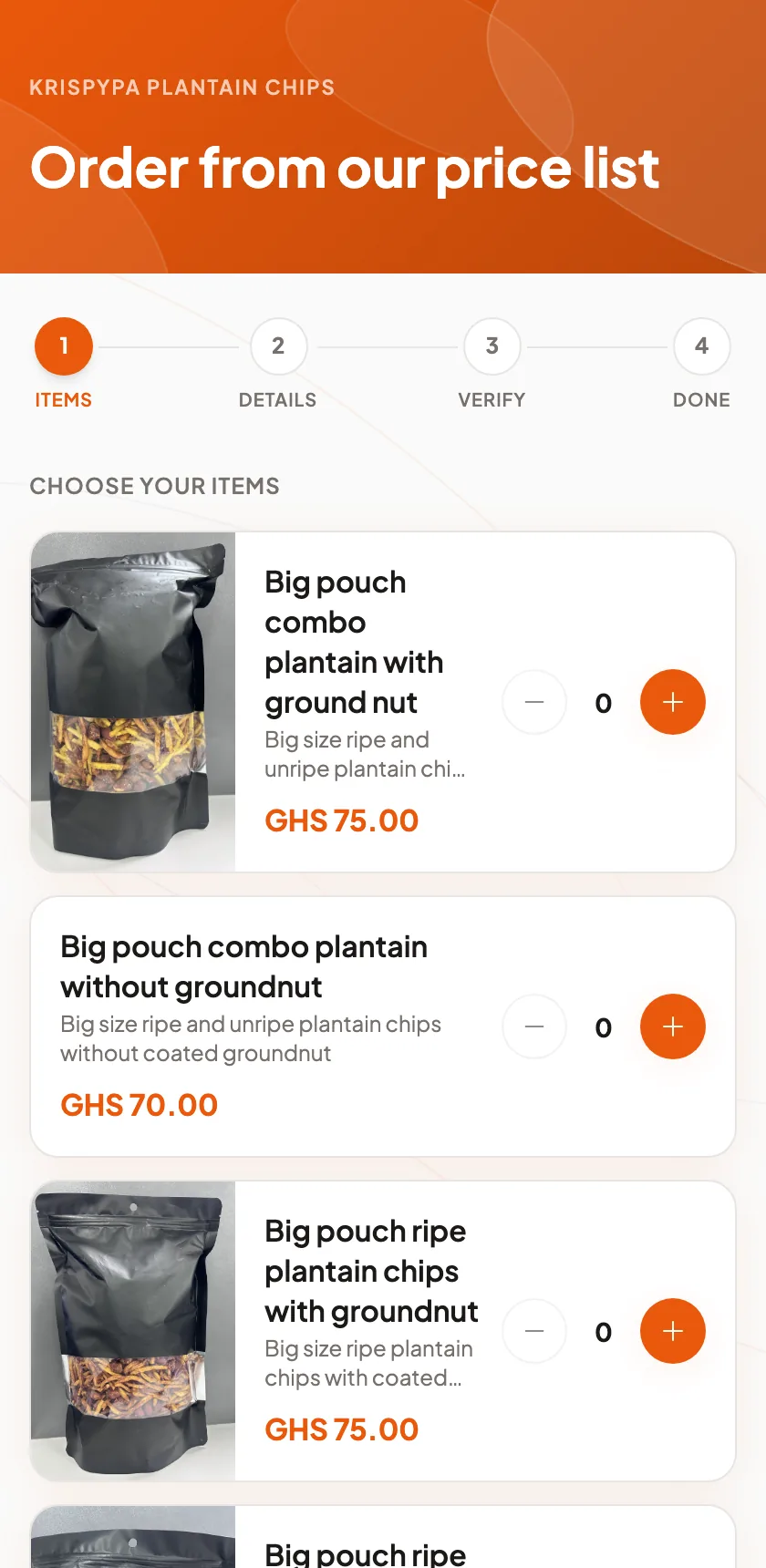
- Customers pick from your price list, pay by mobile money or card, and the order lands in your app. They can follow it in My Orders on their own phone.
- For Food, retail and anyone who takes orders ahead.
- Campaign drops
- A limited offer with its own link and a stock count. Share it, watch the orders come in, and it closes on its own when stock or time runs out.
- For Bakers, boutiques, anyone running a weekend special.
- Bookings
- A booking page on your shop address. Customers pick what they want and a time, and the appointment appears in your diary.
- For Salons, barbershops and any service people book ahead.
- Share cards and QR codes
- A ready-made image for your link, and a QR code to print for the wall or the counter. Customers scan and land on your price list.
- For Every shop with a wall.
- My Orders
- Customers see their own orders on their phone, and the SMS about an online order carries a link to view it.
- For Businesses that want customers to trust the paper trail.
Back office
Run the business
The back office, without a back office.
- AppointmentsGrowth and up
- Your diary for the day, week or month. Book by phone or let customers book online. Turn an appointment into a sale when they arrive.
- For Salons, barbershops and any business that works by appointment.
- Staff rolesGrowth and up
- Owner, Manager and Attendant. Attendants see only their own sales. Managers see the shop. You see everything, including who sold what. Change what each role can do, or create your own.
- For Any shop with more than one pair of hands.
- Inventory and low-stock warningsGrowth and up
- Track products you sell and materials you use. See a low-stock warning in the app when a product reaches the level you set, and get a daily stock email.
- For Shops that sell products or burn through supplies.
- Expenses and profit and lossEvery plan
- Record rent, light bill and supplies, and see what you actually made this month. Free on every plan, including Solo.
- For Every owner who wants to know the real number.
- ReportsEvery plan
- Sales by day, by staff, by item, by payment method. The numbers you need for the end of the day, the end of the month and the bank.
- For Every plan.
- Cost prices and marginsGrowth and up
- Put a cost on each item and see the margin on every sale. Know which item actually earns and which one just keeps you busy.
- For Owners pricing for profit, not habit.
Add-ons
Extras
Add-ons for when you want more. Switch them on from your billing page.
- AI assistantAdd-on
- Ask questions about your own business in plain English. "Which day was busiest last month?" "Who has not visited in 60 days?" It answers from your data.
- For Owners who would rather ask than dig.
- Recipe and material costingAdd-on
- Build up the cost of an item from the materials it uses, with nested components and a suggested price.
- For Bakers, caterers, anyone who makes what they sell.
- Advanced analyticsAdd-on
- Revenue trends, top customers, growth over time and staff performance drill-downs. Included on Growth and up, an add-on on Solo and Starter.
- For Growing shops with more than one branch or team.
Questions
Questions people ask us
Which features are free on every plan?
Checkout with cash and mobile money, customer records, expenses, profit and loss, void and correction, and your reports. These come with every plan, including Solo.
What are the add-ons?
The AI assistant, recipe and material costing and advanced analytics are monthly add-ons; prices are on the pricing page.
Can I try everything before I pick a plan?
Yes. The 14-day trial on Starter, Growth and Enterprise gives you the full product. You narrow down to your plan when the trial ends.
See it with your own prices
Add three items and make a test sale. If it does not feel right in ten minutes, chat with us and tell us why.