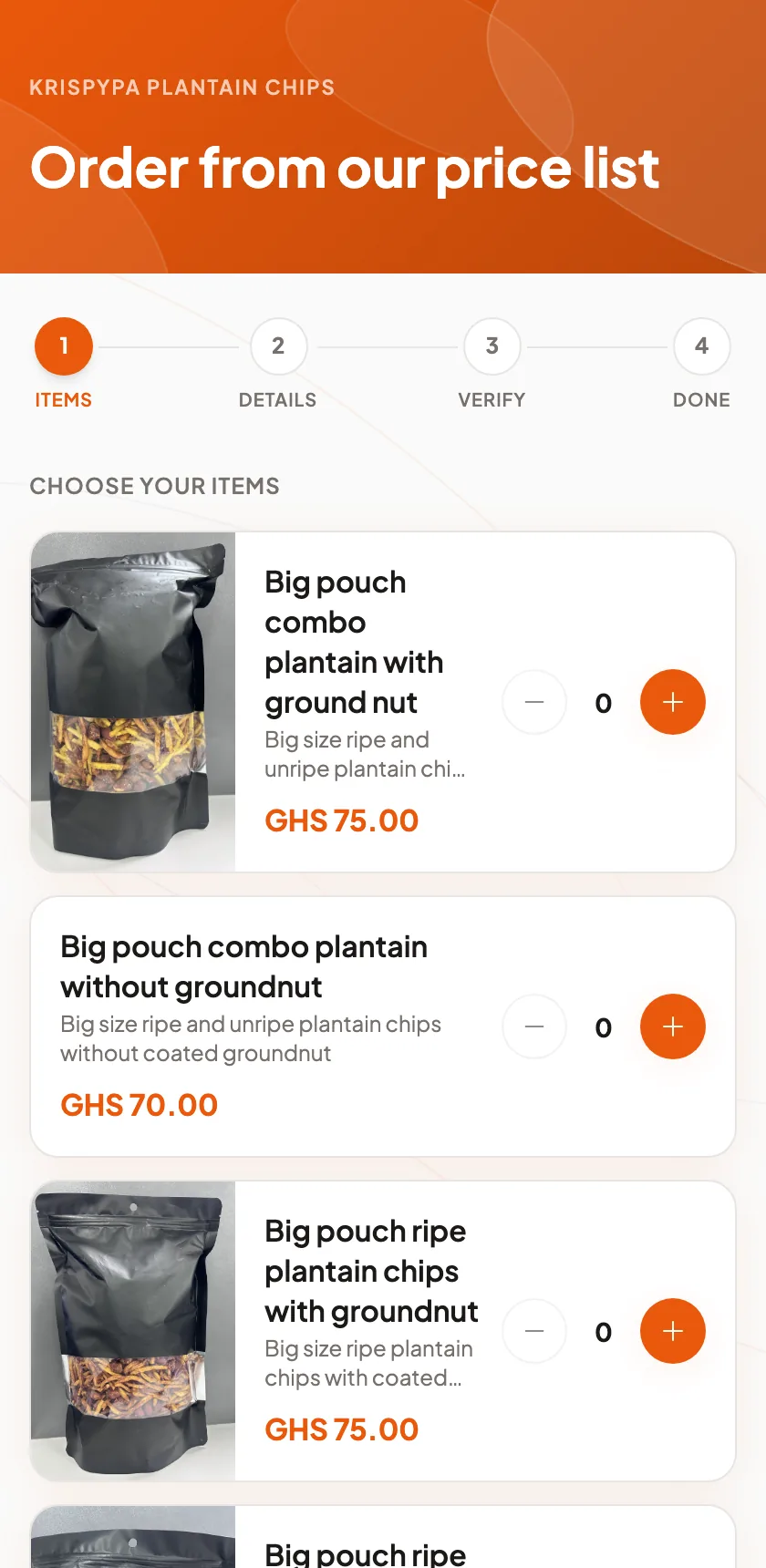
Your shop address
Every business on Densu gets a public page at its own address, like yourname.densu.shop. It shows your name and logo, your opening hours, your socials, and your full price list. It is the answer to every "how much?" and "are you open?" you get in your chats, and it is yours from the day you sign up, on every plan.
You do not build it. The services and products you add for your till are the same ones that appear on the page, with the same prices. Change a price once and both update. There is no separate website to keep alive.
- A public page at yourname.densu.shop
- Your price list, hours, logo and socials
- Updated from the same list your till uses
Order now, paid by mobile money
Your price list has an Order now door. A customer opens your link, picks what she wants, sees the total and pays by mobile money or card. The order appears in your app with her name and number. You get on with making it, and she can follow it in My Orders on her own phone.
This is how you sell from your status without typing the same price list into forty chats. Someone asks, you send the link, they order and pay, and the money is in before you start. No screenshots of payment alerts, no "I will pay on delivery".
- Customers pick, pay and you see the order
- Customers pay by mobile money or card
- My Orders lets the customer follow it on her phone
Campaign drops
A drop is a limited offer with its own link, its own price and a stock count. Twenty boxes of chin-chin for Friday, fifteen slots for the Saturday braids special, fifty units of the new body butter. You announce it, share the link, and orders come in until the stock or the time runs out. Then it closes on its own, so you never take order twenty-one.
Each drop has its own list of who ordered, who paid and who has collected. When it is over, the numbers are already in your reports with everything else.
Bookings from the same link
For services, the door says Book now instead. A customer picks the service and a time and the appointment lands in your diary. Salons and barbershops use it to stop the "are you free tomorrow?" messages; the answer is the link. Online booking comes with Growth and Enterprise, or as an add-on on Starter.
Orders customers can follow
Every online order sends the customer an SMS with a link to view their order. They can see what they ordered and where it stands without messaging you. Customers who have been burned by fake sellers online notice this, and it is one reason they order from you again.
When the order is ready, the customer gets a link to rate you and leave a comment. You see it first. With consent, the good ones can appear on your shop page.
Which plan includes the shop address
Your shop address and online storefront come with every plan: Solo, Starter, Growth and Enterprise. Whichever plan you pick, there is no setup fee, nothing to buy and no contract, and you can move up or down whenever your business changes.
If you only sell online and take a handful of orders a month, Solo is the plan. If you sell at a counter as well and have staff, Growth gives you three accounts, appointments, inventory and promotions. On Starter, appointments, inventory and promotions are separate monthly add-ons. Prices are on the pricing page.